CHIPD-OS- Compute Hardware Independent Portable Drive Operating System
A Portable, External-SSD-supported Workstation for Developers, Hackers & Future-Focused Technologists
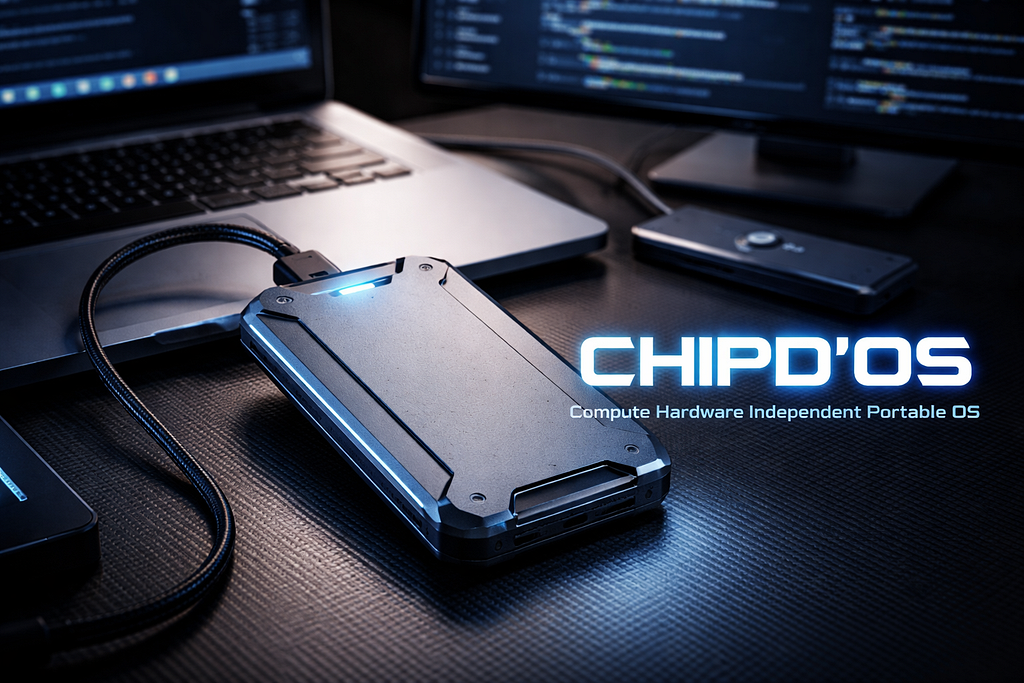
In a world where developers work across multiple devices, environments, and architectures, one limitation remains strangely persistent: our operating systems are still tied to the hardware they’re installed on.
CHIPD’OS for Compute Hardware Independent Portable Drive Operating System — challenges that assumption.
This is a full-featured Ubuntu-based operating system installed on a high-data-rate external SSD, engineered to:
- Boot on virtually any UEFI-compatible machine
- Install hardware drivers automatically (requires secure boot=off)
- Maintain a consistent, isolated development environment
- Bypass the limitations of Live USBs and virtual machines
- Deliver native SSD performance across systems
It is your personal workstation, packaged into a rugged, pocket-sized drive — plug into any desktop or laptop, choose the SSD from the boot menu, and instantly reclaim your entire environment: packages, containers, shell configs, tools, and workflows.
CHIPD’OS turns any machine into your machine.
1. The Concept of CHIPD’OS
At its core, CHIPD’OS embodies a simple but powerful goal:
Create an operating system drive that is independent of the hardware it runs on — portable, adaptive, persistent, and reproducible.
This requires several architectural principles:
1.1 Hardware Abstraction as a Core Philosophy
Traditional OS installations assume a static hardware environment. CHIPD’OS assumes the opposite:
- GPU may change (NVIDIA → AMD → Intel)
- CPU may change (Intel → AMD)
- Storage hierarchy will differ
- Bootloader detection varies by vendor
- EFI variables may be locked down or writable
To solve this, CHIPD’OS employs:
- Label-based filesystem mounting (no UUID dependencies)
- GRUB in removable mode with multiple fallback boot paths
- Dynamic hardware detection on boot
- Automatic driver installation through a host-agnostic pipeline
1.2 Modular Layering & System Architecture
The OS is architected as layered components:
1
2
3
4
5
6
7
8
9
10
11
+----------------------------------------------------+
|  CHIPD’OS User Space (Shell, Apps, Toolchains)     |
+----------------------------------------------------+
|  Developer Environment Layer (Docker, SDKs, VMs)   |
+----------------------------------------------------+
|  Hardware Abstraction Layer (Dynamic Drivers)      |
+----------------------------------------------------+
|  Boot & Filesystem Layer (EFI, GRUB, Labels)       |
+----------------------------------------------------+
|  Portable Storage Medium (External SSD)            |
+----------------------------------------------------+
Each layer is isolated, reproducible, and portable.
1.3 Why CHIPD’OS Is Not a Live USB
Live USBs are:
- Slow
- Non-persistent (unless configured carefully)
- Limited in kernel & driver flexibility
- Not intended for long-term, full-scale OS usage
CHIPD’OS is a real OS, installed on SSD-grade hardware with:
- Native ext4/btrfs filesystems
- TRIM-aware optimization
- Persistent userspace and containers
- Full kernel update support
- Bootloader independence
It behaves like a normal installation — but portable across machines.
2. The External SSD OS Setup
2.1 Why an SSD Instead of a USB Flash Drive
External SSDs offer:
Performance
- 5–10× faster random I/O than USB drives
- Sustained 500–1100 MB/s throughput
- Lower latency and dramatic OS responsiveness
Durability
- Wear leveling
- Larger cache
- Higher-quality NAND
- Significantly better lifespan than flash drives
Thermal & Reliability Benefits
- SSD enclosures throttle less aggressively
- Support UASP (USB Attached SCSI Protocol)
- Reduced CPU wait cycles and improved I/O concurrency
Conclusion:
To run a real, persistent OS environment, an SSD is the only viable portable medium.
2.2 CHIPD’OS Partition Structure
A typical CHIPD’OS drive uses:
1
2
3
/dev/sda ───────────────────────────────────────────── 476GB
├── /dev/sda1  (512MB, vfat, LABEL=SSDEFI)     → EFI Partition
└── /dev/sda2  (rest, ext4, LABEL=SSDROOT)     → OS Root Partition
EFI Partition (SSDEFI)
Contains:
- /EFI/BOOT/BOOTX64.EFI → mandatory fallback loader
- /EFI/JMicSSD → custom GRUB bootloader
- /EFI/ubuntu → stock Ubuntu loader
Root Partition (SSDROOT)
Contains:
- /usr, /home, /opt, /var
- Developer tools, Docker engine, SDKs
- Kernel images and persistent configurations
Using LABEL=SSDROOT avoids dependency on disk UUIDs, which change between systems.
2.3 Bootloader Architecture
Why GRUB in Removable Mode?
Many PCs will not register external drives in the BIOS’s NVRAM boot entries.
So CHIPD’OS uses:
- Removable-mode GRUB installation
- Multiple fallback directories:
- /EFI/BOOT/ (UEFI default path)
- /EFI/JMicSSD/ (custom loader)
- /EFI/ubuntu/ (standard Ubuntu loader)
- Optional: /EFI/Microsoft/Boot/ (maximum compatibility hack)
The Boot Guarantee Layer
A simplified boot flow:
1
2
3
4
5
6
7
8
9
User selects SSD → UEFI scans fallback paths
     ↓
UEFI finds BOOTX64.EFI
     ↓
GRUB loads kernel & initrd from SSD
     ↓
CHIPD’OS hardware detection begins
     ↓
Drivers installed → system alive
2.4 Driver & Kernel Handling
Since the OS is portable across machines:
Dynamic Hardware Detection
CHIPD’OS identifies:
- GPU (NVIDIA / AMD / Intel)
- CPU microarchitecture
- Network controllers
- WiFi & Bluetooth firmware
- Storage controllers
Driver Injection Pipeline
The file /usr/local/bin/auto-drivers.sh:
- Purges conflicting drivers
- Installs appropriate GPU stack
- Loads firmware
- Logs actions for debugging
A systemd unit (chipdos-hw.service) runs this only when hardware changes.
2.5 Filesystem Choice: Why ext4
ext4 is used because:
- Highly portable
- Less metadata-heavy than btrfs
- Extremely stable
- Supported universally across BIOS/UEFI machines
btrfs is an option if:
- Users want snapshotting
- Drive has TRIM support
- High-IO workloads exist
But ext4 offers maximum out-of-the-box portability.
2.6 Persistence, Encryption & Performance
Persistence Options
- Full persistence (native disk usage)
- Container-backed isolation (Docker or Podman)
- Optional LUKS encryption
Performance Considerations
- Use UASP-compatible enclosures
- Prefer USB 3.1 Gen 2 or USB-C
- Avoid hubs during boot
- Keep ≥15% free space for wear leveling
3. Why CHIPD’OS Is a Developer’s Dream
3.1 Portable Dev Workstation
A developer on the move can:
- Use university lab PCs
- Switch between home desktops
- Work on client machines
- Maintain identical environments everywhere
Your tooling stays with you:
1
npm, pip, cargo, go, clang, CUDA, Docker, VS Code, JetBrains IDEs, SDKs
3.2 Ideal for Hobbyists & Experimentation
CHIPD’OS enables:
- Kernel patching
- GPU driver experiments
- OS customization
- Reverse engineering
- CS/CE student labs
- Pen-testing environments
It becomes your personal OS “capsule”.
3.3 Sandbox for Client Machines
Run CHIPD’OS on a host machine without touching:
- Internal disks
- Existing OS setups
- Bootloaders
- User configuration
No traces, no conflicts.
3.4 Cross-Machine Testing
Developers can test their apps under:
- Different GPUs
- Different CPUs
- DDR4 vs DDR5 RAM speeds
- Different PCIe generations
All from one portable OS.
4. Technical Dive
4.1 Boot Flow Diagram
1
2
3
4
5
6
7
8
9
10
11
12
13
14
15
16
17
18
+------------------------------+
                 |   UEFI Firmware of Host PC   |
                 +------------------------------+
                      |   Scans for EFI executables
                      v
            /EFI/BOOT/BOOTX64.EFI (fallback)
                      |
                      v
             GRUB in Removable Mode
                      |
                      v
         Loads vmlinuz + initrd.img from SSDROOT
                      |
                      v
    CHIPD'OS Hardware Detection + Driver Pipeline
                      |
                      v
               Full System Booted
4.2 Hardware Detection Pipeline
- Identify GPU via lspci
- Match vendor (NVIDIA/AMD/Intel)
- Purge conflicting drivers
- Install correct vendor stack
- Sync kernel modules
- Log results to /var/log/chipdos-auto-drivers.log
4.3 Virtualization Support
CHIPD’OS supports:
Containers
- Docker
- Podman
- LXD
Virtual Machines
- QEMU/KVM (if host CPU supports virtualization)
- Virt-manager
- Multipass
Sandboxes
- Firejail
- Bubblewrap
- NsJail
4.4 Data Integrity & Backup Strategy
Recommended:
- Use rsync or restic to backup /home
- Clone entire SSD using partclone
- Store backups on a second drive
- Avoid full-disk encryption unless performance is acceptable
4.5 I/O Optimization Techniques
- Use ext4 with noatime
- Enable UASP in enclosure
- Mount with discard=async if TRIM supported
- Prefer kernel versions ≥ 6.0
- Avoid simultaneous heavy container workloads on USB hubs
5. Why CHIPD’OS Matters
CHIPD’OS is more than a clever hack — it’s an entirely new operating model.
A future-ready portable workstation
Carry a complete Linux development environment anywhere.
A plug-and-compute ecosystem
Turn any machine into your personal workstation with one boot selection.
Hardware-independent computing
Decouples your OS from your hardware for the first time.
Extreme mobility for developers
Write code in a lab, continue at home, deploy from a client site — same environment, same tools, same identity.
Freedom from vendor lock-in
Your OS does not belong to your laptop anymore.
It belongs to you.
CHIPD’OS is not just a portable Linux installation —
it is a philosophy of personal computing freedom, built for developers, researchers, ethical hackers, engineers, and creators who demand:
- consistency
- portability
- isolation
- power
- and complete control over their environment
When your OS lives on your SSD, your workflow becomes truly mobile.
Welcome to Compute Hardware Independence.
Welcome to CHIPD’OS.
